How do you invite guests who don't have an email?
Some of the people you most want at the party don't read email. You can still get a real answer from them.
By Kyle, founder of Strawberry Invites · Published October 27, 2026 · 4 minute read
The short answer
Text them a link. Put the guest on your list with just a name. After your invitations go out, copy that guest's personal RSVP link and send it yourself, by text, WhatsApp, or whatever they actually read. They tap it and answer. No account, no app.
If they would rather call you, you can mark their answer yourself. If you just don't have their email yet, they can give it to you through a private link or QR code.
1. Text them their own link
This is what I'd do for most people. Add the guest with a name and leave the email blank. Their row in the guest list says “No email — use RSVP link” so you don't lose track of them. Once your invitations are sent, click RSVP link on their row to copy it, then paste it into a message.
They land on the same page as everyone else: your invitation, with a question underneath, “Will you be attending?” and two buttons. If they change their mind later, the same link lets them change their answer.
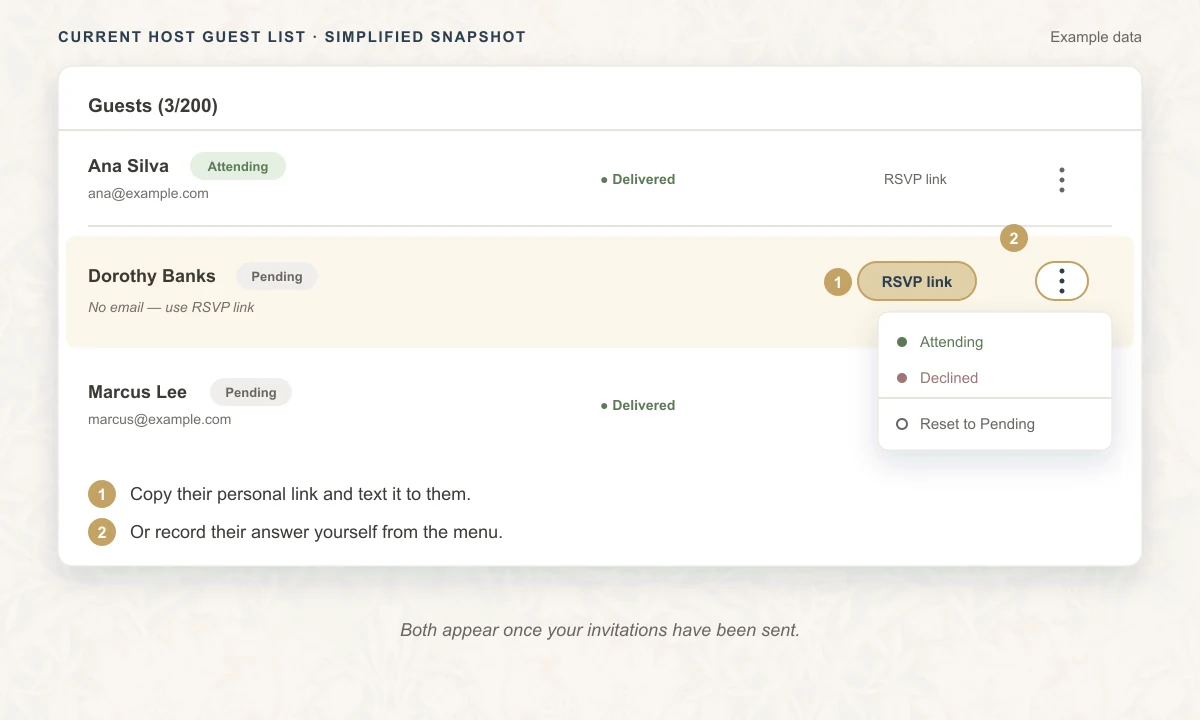
One thing to watch: the link belongs to that person, and anyone who has it can answer as them. Send it to them directly, not into a group chat where anyone could tap it. Strawberry Invites doesn't send text messages itself, so the message comes from you.
2. Mark their answer yourself
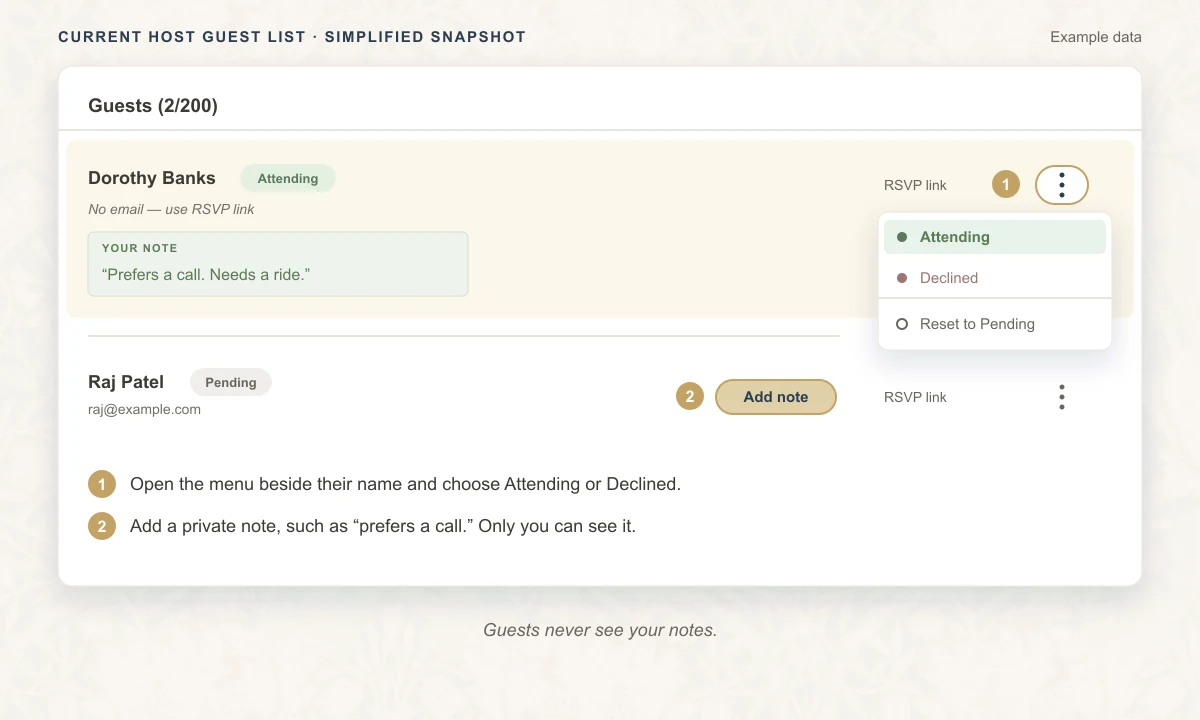
Some people will never tap a link. They'll call you instead, and that's fine. Open the menu beside their name (the three dots) and choose Attending or Declined. If you allowed a plus-one or a party size, or added questions to the RSVP, it asks for those as well, so you can fill them in while you're still on the phone. Picked the wrong one? Reset them to Pending.
Every guest also has a private note that only you can see. I'd use it for small things like “prefers a call.” Just be honest with yourself here: you're entering a reply, not collecting one, so only mark someone as attending once they've actually told you.
3. You don't have their email yet
This looks like the same problem, but it isn't. Plenty of people use email; you just haven't got their address. Instead of texting twenty people to ask, use Collect guest details. It works while your event is still a draft.
You create a private link or QR code and share it wherever your guests will see it, such as a group chat, a flyer, or a club newsletter. Each person enters their name and email, says how many people they're bringing (one to six), and confirms their email. Then the request shows up on your dashboard and you approve it.
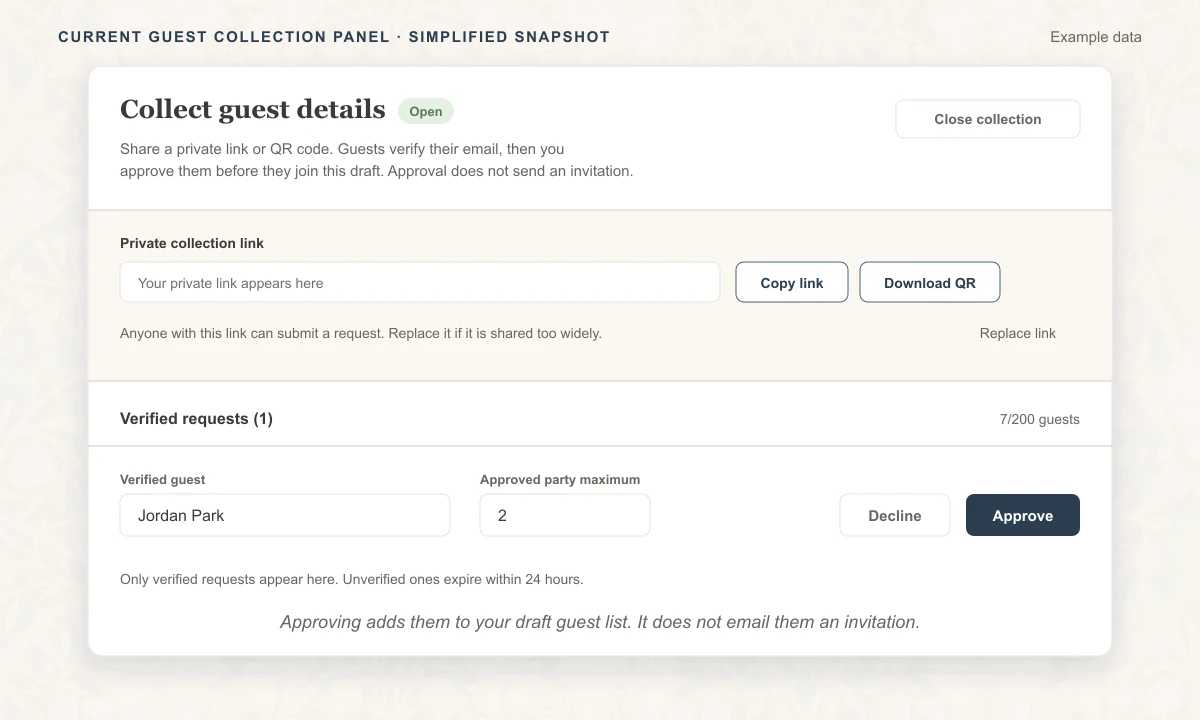
Two things to know. Approving someone adds them to your guest list but doesn't email them; they get their invitation when you send, like everyone else. And anyone with the link can submit a request, so replace it if it travels further than you meant it to.
This won't help a guest who doesn't use email at all. For them, use option 1 or 2.
Which one should you use?
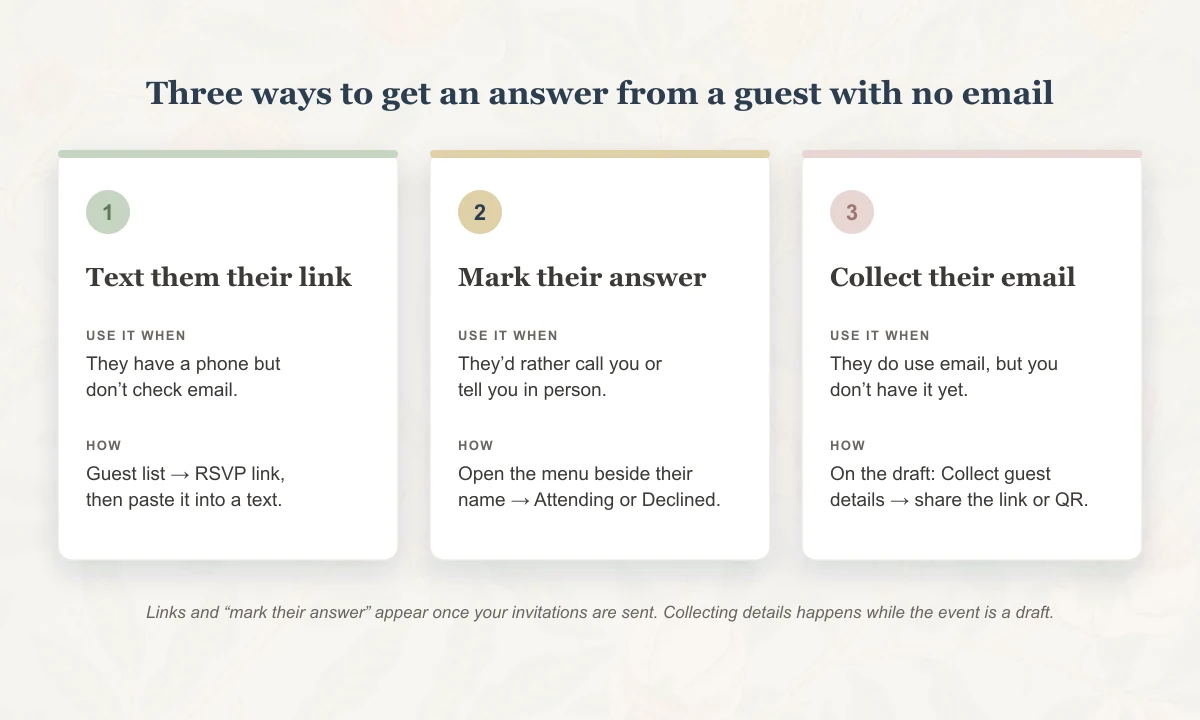
Ask yourself one question about the person. Do they have a phone but ignore email? Text them their link. Would they rather talk to you? Mark their answer. Do they use email, and you just don't have it? Collect it. Plenty of lists will need a mix of all three, and that's fine.
If you get their email later
Click the small pencil next to “No email — use RSVP link” and type it in. Before you send, that works for any guest. After you send, it works for guests who haven't been invited yet, and the “Send invites to new guests” button will email them their invitation.
A word about collecting emails
If you gather addresses, use them for this event and nothing else. The collection form asks each guest to agree before they submit, and I think that's the right standard for you too: tell people what you're using their email for. Our privacy policy explains how Strawberry Invites handles guest information.
Quick questions
- Can I invite someone by phone number?
- Not directly. Strawberry Invites doesn't send text messages. You copy the guest's link and send it yourself.
- Does the guest need an account or an app?
- No. Their personal link opens your invitation and the reply buttons in any browser.
This guide describes how Strawberry Invites works as of October 27, 2026. If something here doesn't match what you see, email support@strawberryinvites.com.